The New Copilot Notebook Interface

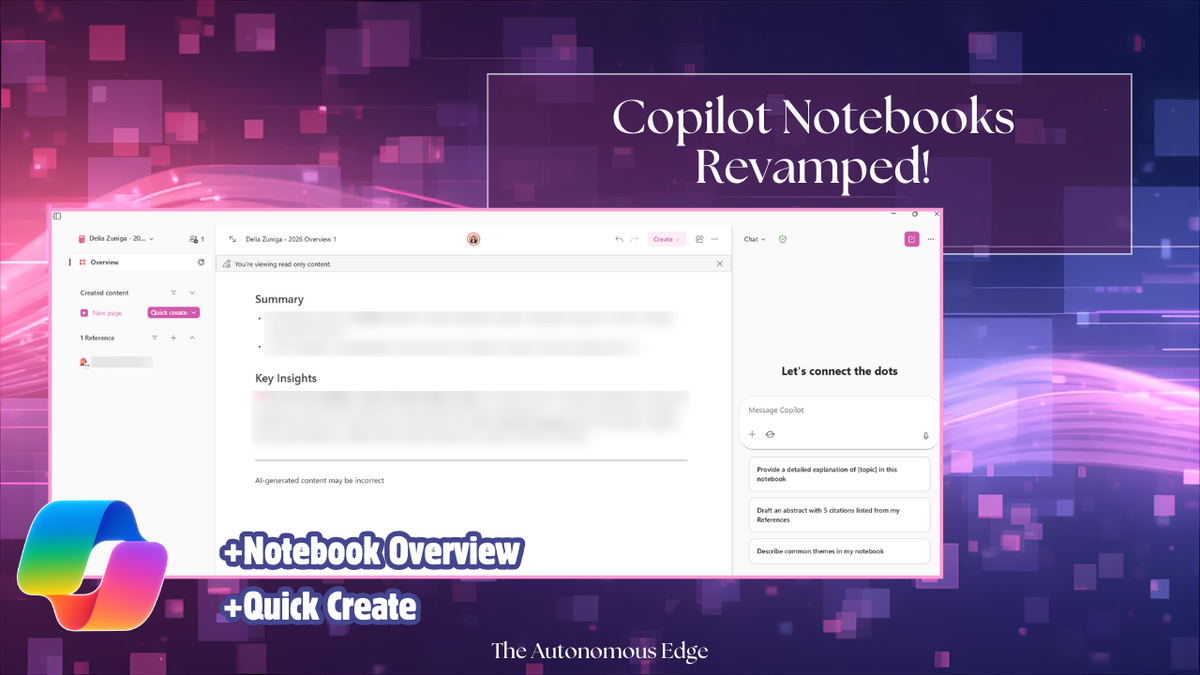
Timing is impeccable! I led a session on Copilot Notebooks earlier this week and today, Friday, I opened up my Copilot Notebook and it looked very different! This just shows how quickly things move!
Here are the changes I noticed:
- Copilot Notebook Overview
- Quick Create (Generate audio overview)
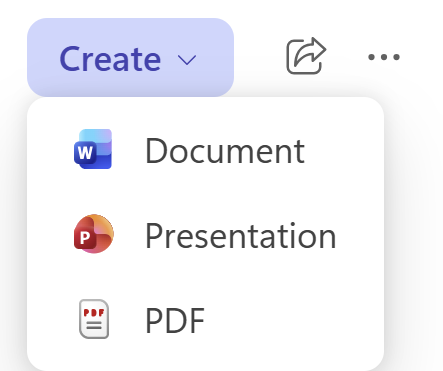
- Create Word documents, PowerPoint Presentations, and PDFs
When you navigate to your Copilot Notebook, you'll notice it is divided into three sections.
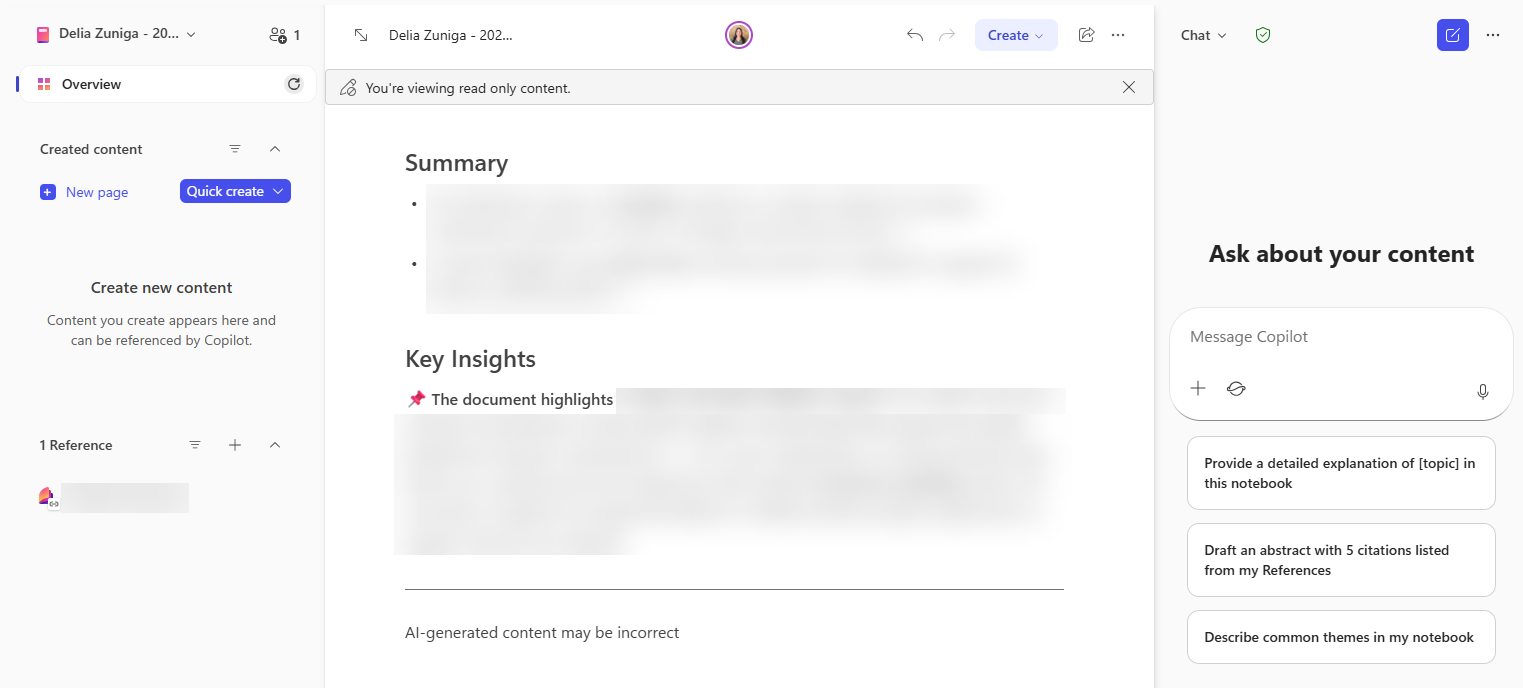
The center panel shows the Overview, this is new! The overview is your executive summary of all materials included in your Copilot Notebook. This will be a great place to start, especially if the Copilot Notebook was shared with you and you're working to understand all the information. I personally like the new Key Insights section of the overview!
You'll also notice a Create button, this is available for all Copilot Pages. This is where you can quickly generate Word documents, PowerPoint presentations, and PDFs based on your Copilot Notebook.
The left panel shows your References split into two sections: Created Content and References. Created Content will contain all Copilot Pages and References will contain all files you link to your notebook (Word documents, Excel workbooks, PowerPoint presentations, PDFs, etc.).
Within the Created Content section, you can create a new page and generate the audio overview, which is now under the Quick Create drop-down. Given that this is a drop-down menu option, it leads me to believe that there may be more coming to this list- we'll see!
The right section is where you can access Copilot. Similar to before, you can ask Copilot questions based on the references in the Copilot Notebook. If there is any information that Copilot generates for you that you want to keep, it can be added to the existing Copilot Notebook.
Lastly, in the top left corner of the Copilot Notebook is an option to Invite and Manage Members. This displays the number of people you've shared the notebook with and the ability to invite new users or revoke access.
Have you noticed any of these changes? I'm looking forward to exploring the Overview page on some of my other Copilot Notebooks. As updates are made, I'll be sure to share them with you! Be sure to subscribe to stay up to date 😊
If you want to learn more about Copilot Notebooks, check out my other post!
 Delia Zuniga
Thank you for reading!
-The Autonomous Edge