Copilot's New Tools

While we wait for Copilot Cowork to drop, I noticed that M365 Copilot has expanded some of its capabilities. In the past, Copilot was always informational and a bit limited. Copilot would give me the information I needed, or it would generate a document, if prompted. But I always needed a bit more...who doesn't?!
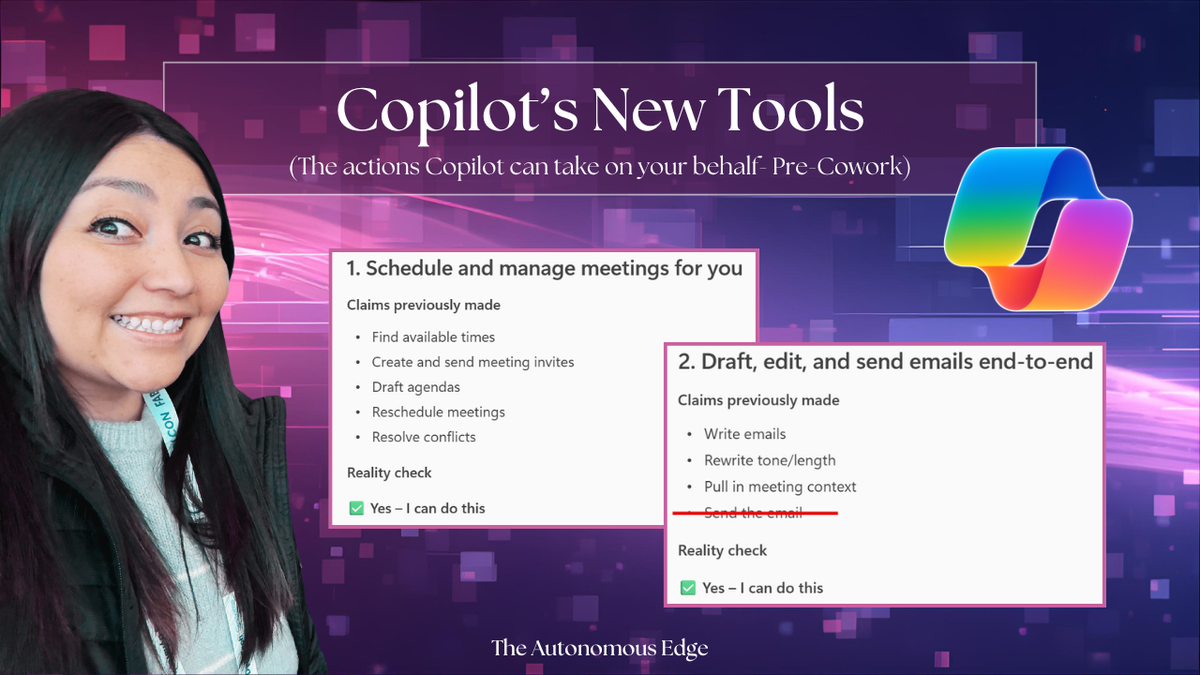
One day, I asked Copilot the following: What are some of your latest tools that allow you to perform actions on my behalf?
And then I asked this follow-up question for verification: Please run through the items on this list and confirm you actually have the ability to do these things.
This response was enlightening and intentional. I wanted to make sure that Copilot would reference the latest Microsoft release updates AND confirm that the features listed were already rolled out to my tenant. This is what Copilot responded with:
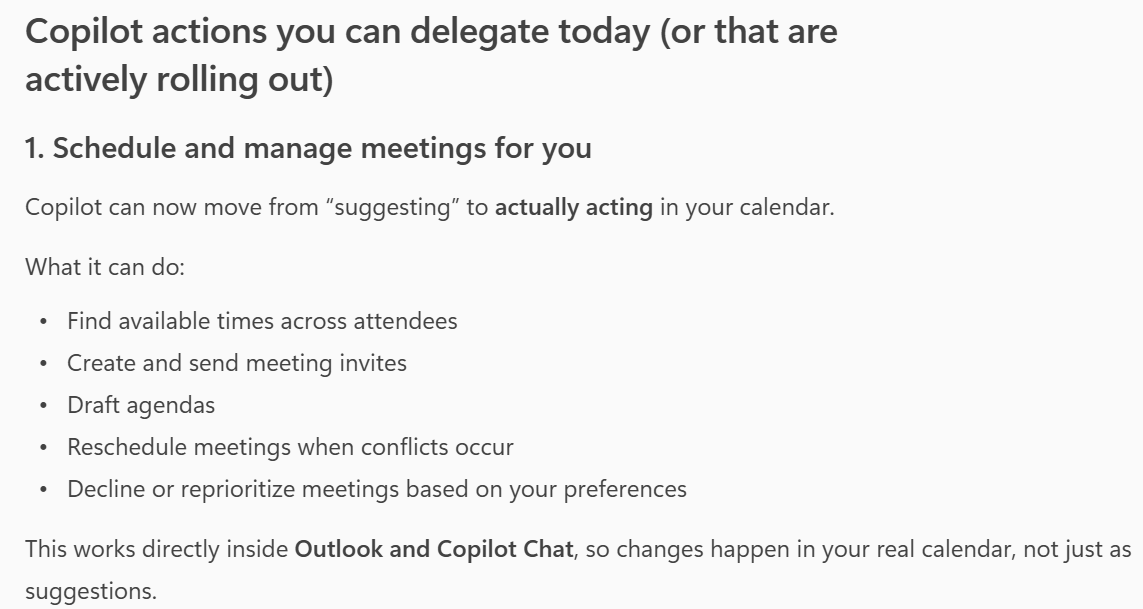
This is a big deal. Previously, I would have to leave the flow of work to go to Outlook and schedule a call. But now that I can access Copilot in any application (Teams, Word, Excel, etc.) I can stay exactly where I am and just open up Copilot and ask Copilot to schedule a meeting for me.
But wait, there's more!
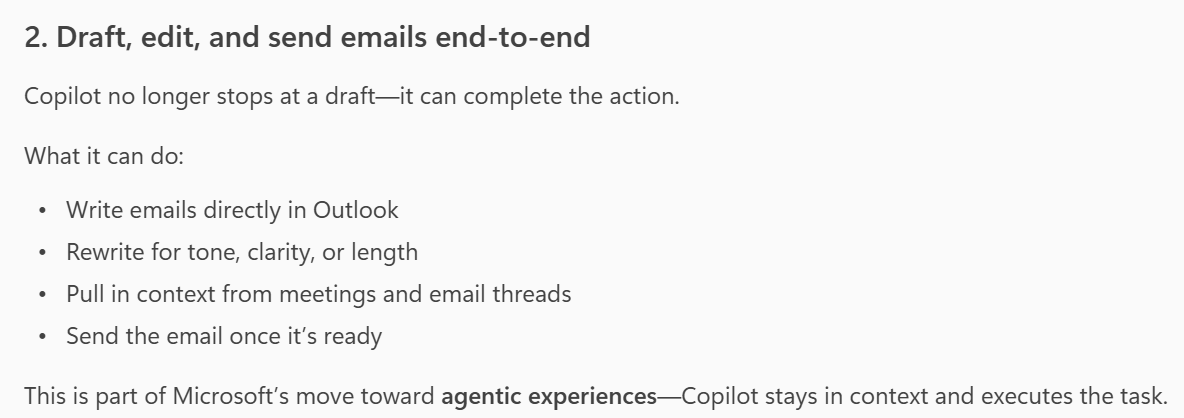
This was a really interesting one. Copilot can now also draft emails for you directly in Outlook. Although Copilot's response says that it can send the email once it's ready, that's not quite the case. I did test this out and confirmed that Copilot can only DRAFT the email but it leaves it up to me to actually hit the SEND button. This just goes to show that you should always validate AI-generated responses 😄
But these are still very powerful actions, especially when paired with a Scheduled Prompt! Imagine setting up a prompt that runs every morning while you’re getting ready for the day, designed to review your unread emails and draft responses for you. When you log into your computer, you simply review the drafted emails and click send. What was once a task that could easily take up half your day is now streamlined, freeing you up to focus on what matters most.
One last little nugget...
I was recently on a Teams call where we had Facilitator enabled, and the coolest thing happened. At the end of the call, Facilitator recognized that we needed to schedule a follow‑up meeting and asked if it could help get it scheduled. It was able to anticipate our next step, making it fast and easy to continue the discussion.
We're getting a taste of what we can expect with Copilot Cowork and I couldn't be more excited!
Thank you for reading!
-The Autonomous Edge